 English
 日本語
日本語 한국 사람
한국 사람 简体中文
简体中文 繁體中文
繁體中文 Deutsch
 بالعربية
 TÜRKÇE
 português
 คนไทย
คนไทยHow to Change PotPlayer skin? How to install PotPlayer skin
2019-03-24 - 4,847
How to Change PotPlayer skin?
Mouse Right-click on PotPlayer,Open "Preferences - General - Skins".
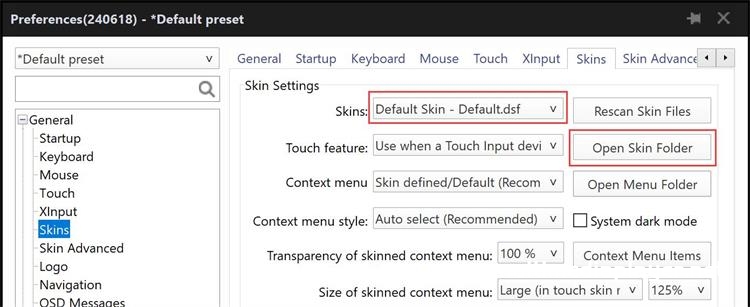
Click "Open Skin Folder",in "C:\Program Files\PotPlayer\Skins" you can see all PotPlayer skins.The skin is a file with a dsf extension,Place the downloaded dsf file in this directory,restart PotPlayer.
It is also possible to change the logo, opacity, color scheme and many more interface effects.
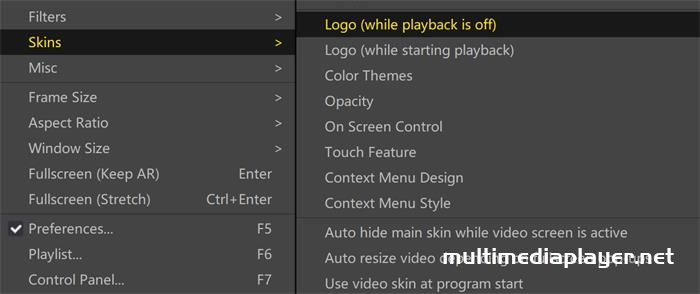
Revert to default skin
Mouse Right-click on PotPlayer,"Skins - Default skin”。