English
 日本語
日本語 한국 사람
한국 사람 简体中文
简体中文 繁體中文
繁體中文 Deutsch
 بالعربية
 TÜRKÇE
 português
 คนไทย
คนไทยSet up PotPlayer audio pass through
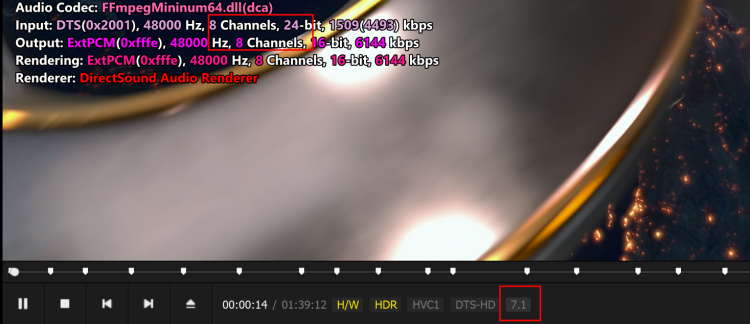
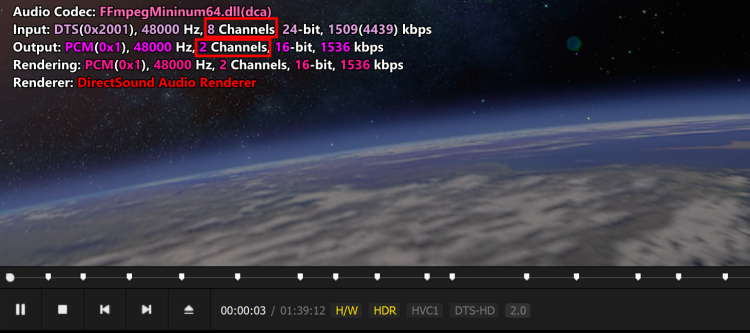
Because Windows’ default audio output is stereo, PotPlayer’s default setting is not to enable bitstream output and to output only 2-channel PCM. This is done to ensure compatibility with the headphones/dual-speaker setups used by the vast majority of people and to avoid system mixing anomalies, popping, and no-sound issues. Headphones, built-in computer speakers, and ordinary desktop speakers are all 2.0; 5.1/7.1 multichannel audio systems are niche home theater devices. If 5.1/7.1 were output by default, playback through ordinary headphones/speakers would suffer from quieter vocals, missing channels, and abnormal sound. Movies with 5.1/7.1 audio can still produce sound because PotPlayer automatically mixes the center, surround, and bass/LFE channels into the left and right channels, so sound comes only from the front two speakers.
If you are using a PC hawk to your AV receiver or audio amplifier, your PC will not decode AC3,DTS,TrueHD... So you need set PotPlayer audio pass through.
Right mouse click on PotPlayer,“Preferences - Filter Control - Audio Decoder - Built-in Audio Codec/Pass-Through settings".
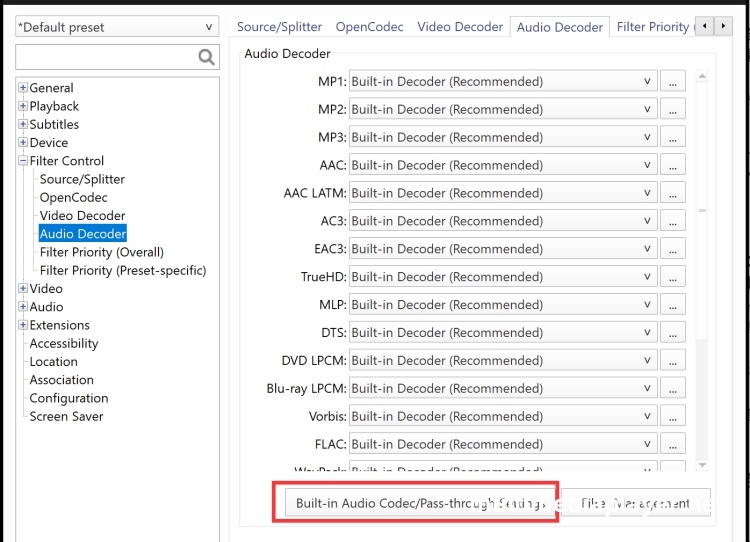
Check the Enable check box of “Pass-through(S/PDIF,HDMI)”.
AC3,EAC3,TrueHD,DTS,DTS-HD all choose the "Default Pass-through Muxer".
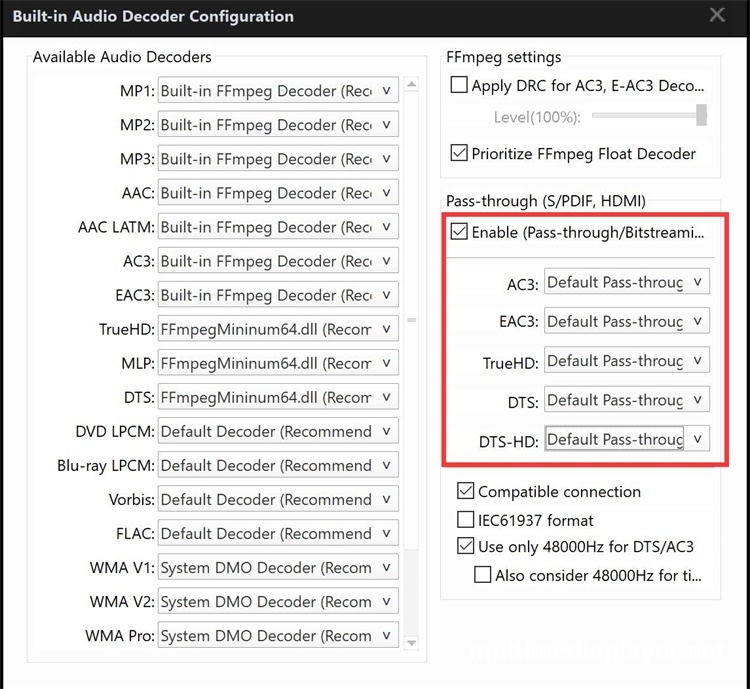
If any format doesn't work properly, switch those formats over the the "Alternative Pass-through Muxer"
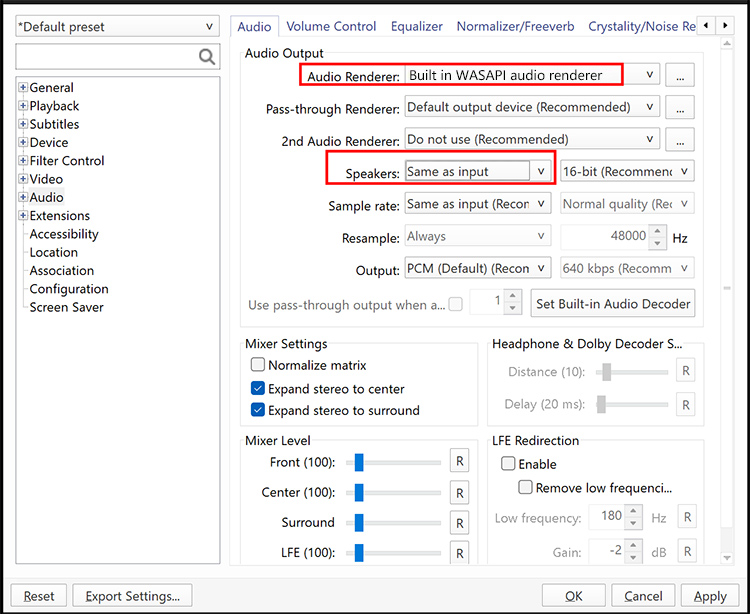
Audio - Speakers - Set to "Same as Input".Audio Renderer Set to "Built-in WASAPI Audio Renderer".
Before:
Now: