 English
 日本語
日本語 한국 사람
한국 사람 简体中文
简体中文 繁體中文
繁體中文 Deutsch
 بالعربية
 TÜRKÇE
 português
 คนไทย
คนไทยPotPlayer Record Video, video to GIF tutorial
2024-10-08 - 2,078
Intercept a video,clip video,convert video into a GIF animation… People who don't have much knowledge of computer technology are often helpless.
And with PotPlayer, these requirements can be easily handled with just a few clicks of the mouse.
Record Video
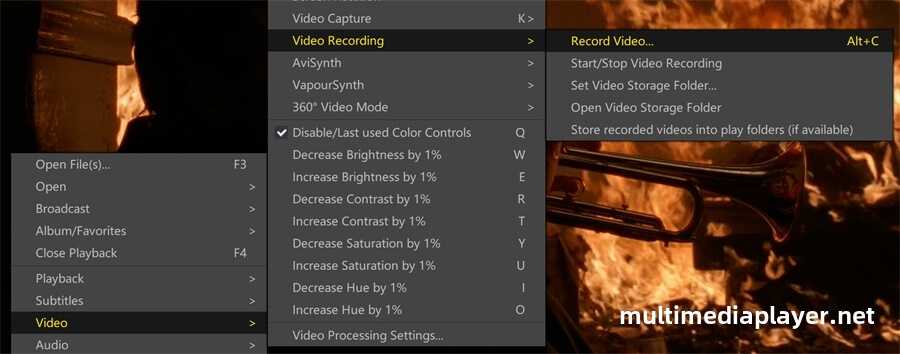
Play a video by PotPlayer,right mouse click on PotPlayer,“Video - Video Recording - Record Video" (shortcut key:Alt+C).
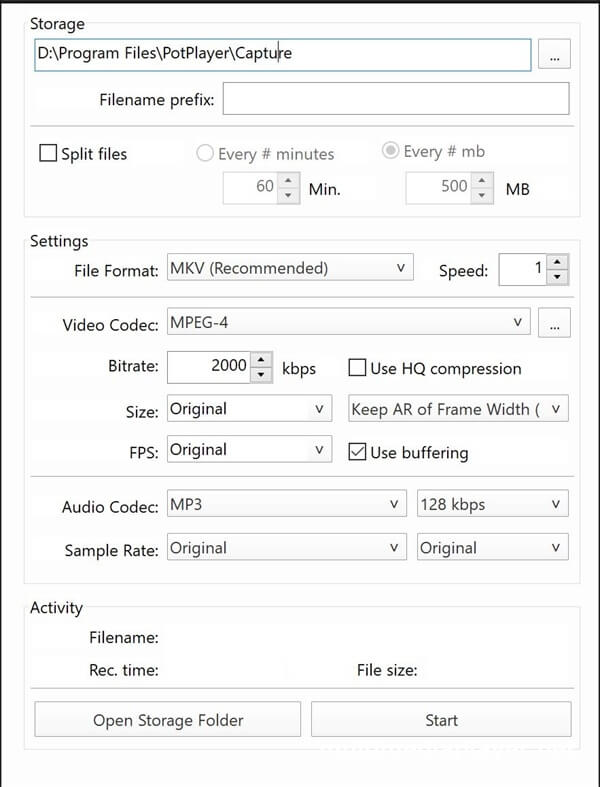
You can set the file format,video codec,bitrate,audio codec...Click "Start" button,PotPlayer starts recording the video.Click Stop button to end the recording.
Video to GIF
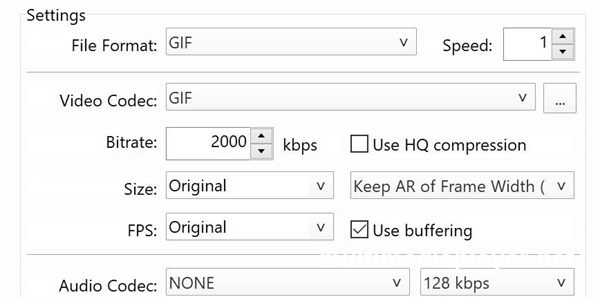
Select GIF as the file format in the settings,PotPlayer can convert the video into a dynamic image.
Open Video storage folder,you can find the video files.